In this article
Every image, video and screen has a shape, and the aspect ratio is how that shape is written down. It explains why a photo gets black bars on a television, why a video thumbnail cuts off the top of a portrait, and why a profile picture needs cropping.
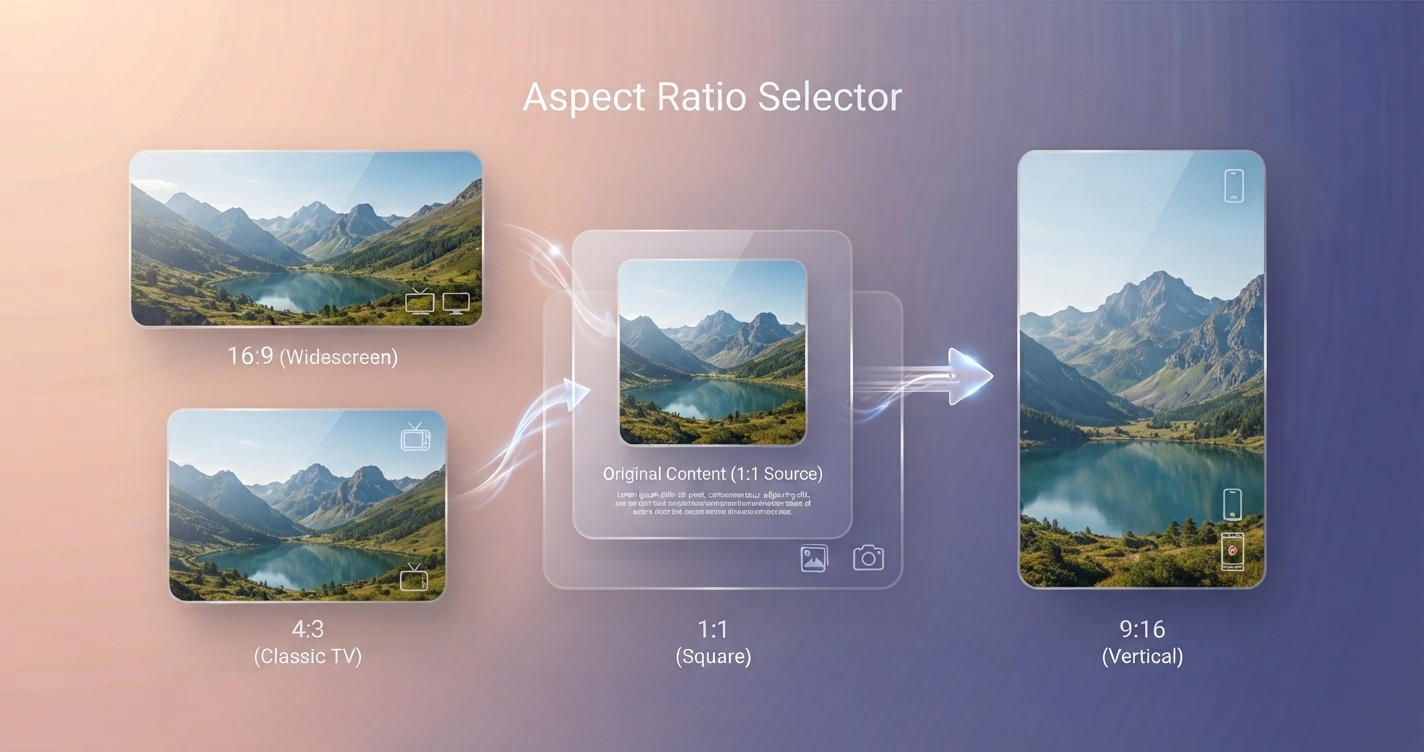
In short: An aspect ratio is width compared with height. 16:9 is wide, 1:1 is square and 9:16 is tall. It describes shape only, not size.
What the numbers mean
An aspect ratio is width : height. A 16:9 image is 16 units wide for every 9 units tall. The units can be anything: 1600 × 900 pixels, 1920 × 1080 pixels and 16 × 9 centimetres are all 16:9. The ratio describes shape, not size or quality.
The first number is the width. That is why 16:9 is a landscape shape and 9:16, the same rectangle turned on its side, is portrait.
The common ratios
| Ratio | Shape | Where you see it | Example sizes in pixels |
|---|---|---|---|
| 16:9 | Wide | Televisions, monitors, online video, slides | 1280 × 720, 1920 × 1080, 3840 × 2160 |
| 4:3 | Slightly wide | Phone camera photos, older screens, tablets | 1024 × 768, 4000 × 3000 |
| 3:2 | Classic photo | DSLR and mirrorless cameras, 6 × 4 inch prints | 1500 × 1000, 6000 × 4000 |
| 1:1 | Square | Profile pictures, product grids | 1080 × 1080 |
| 4:5 | Slightly tall | Portrait posts in social feeds | 1080 × 1350 |
| 9:16 | Tall | Stories, short vertical video, phone screens | 1080 × 1920 |
| 21:9 | Very wide | Ultrawide monitors, cinema-style video | 2560 × 1080 |
How to calculate a size
If you know one side and the ratio, you can find the other:
- Height = width ÷ ratio width × ratio height
- Width = height ÷ ratio height × ratio width
Example: a 16:9 image that is 1200 pixels wide is 1200 ÷ 16 × 9 = 675 pixels tall. A 4:5 image that is 1350 pixels tall is 1350 ÷ 5 × 4 = 1080 pixels wide.
To find the ratio of an existing image, divide width by height and compare:
| Width ÷ height | Ratio |
|---|---|
| 1.78 | 16:9 |
| 1.5 | 3:2 |
| 1.33 | 4:3 |
| 1.0 | 1:1 |
| 0.8 | 4:5 |
| 0.56 | 9:16 |
What happens when shapes do not match
When an image is shown in a space of a different shape, software has three choices:
- Letterbox or pillarbox: show the whole image and fill the leftover space with bars. Nothing is lost, but space is wasted.
- Crop to fill: enlarge until the space is covered and cut off what overflows. No bars, but edges disappear. This is what most website grids and thumbnails do.
- Stretch: force the image into the new shape. Everything is kept and everything looks wrong.
Preparing an image in the right ratio yourself means you decide what is cut, not the website. The Image Cropper has the common ratios built in, and there is a walkthrough in how to crop a photo to any aspect ratio.
Aspect ratio and resolution
They are related but different. Resolution is the number of pixels, such as 1920 × 1080. Aspect ratio is the shape those pixels form. Many resolutions share one ratio, so 1280 × 720 and 3840 × 2160 are both 16:9 and one can be scaled to the other with nothing cut or stretched. Resizing changes resolution and keeps the ratio; cropping changes the ratio.
Choosing a ratio
- Video for television, computers and video sites: 16:9.
- Video made for phones held upright: 9:16.
- Photos you may print: keep the camera’s native 3:2 or 4:3 and crop copies as needed.
- Website grids: pick one ratio per type of image and use it everywhere.
- Presentations: 16:9 unless you know the projector is an older 4:3 model.
Advantages and disadvantages of shooting wide and cropping later
Advantages
- One original can produce square, wide and tall versions
- You can reframe after the event
Disadvantages
- Each crop has fewer pixels than the original
- Subjects placed at the edge may not survive every crop
Frequently asked questions
What does 16:9 mean?
The image or screen is 16 units wide for every 9 units tall. It is the standard widescreen shape used by televisions, monitors and most online video.
Is 1920 × 1080 the same as 16:9?
1920 × 1080 is a resolution with a 16:9 aspect ratio. Other sizes such as 1280 × 720 share the same ratio.
What aspect ratio do phone cameras use?
Most take photos in 4:3 by default and record video in 16:9. Many offer other ratios in the camera settings.
How do I change the aspect ratio of an image?
Crop it. Changing the ratio by resizing alone stretches the picture.