In this article
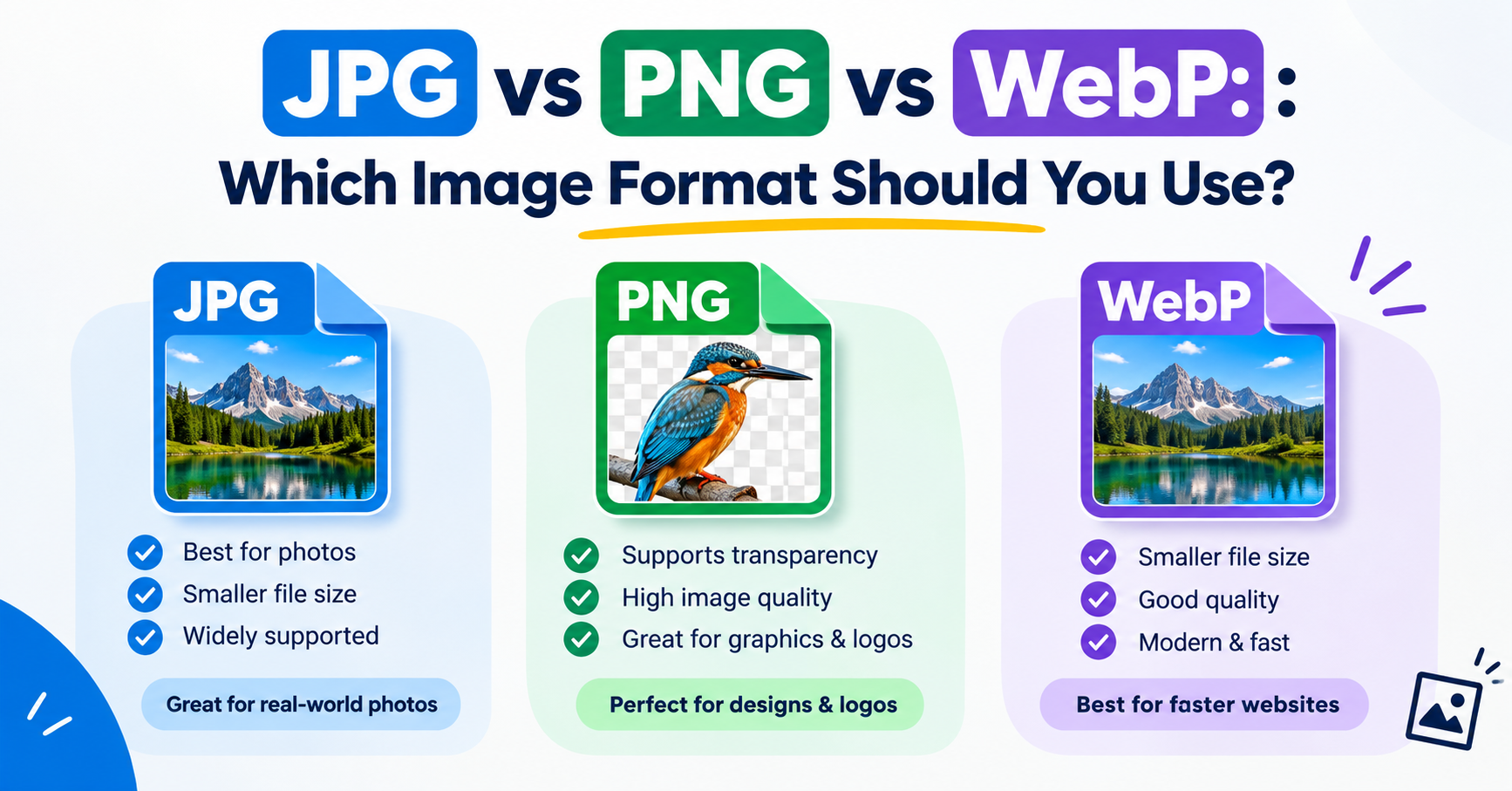
PNG keeps every pixel exactly as it was, which is ideal for screenshots and graphics but makes photographs enormous. A photo saved as PNG can be five to ten times the size of the same photo as a good JPG. Converting is easy; doing it without visible damage takes three small decisions.
In short: Convert at quality 90 or above, choose a background colour for any transparent areas, and keep the original PNG. Photographs convert beautifully; screenshots and logos are better left as PNG.
What “without losing quality” really means
JPG is a lossy format, so some information is always discarded. The realistic goal is no visible loss. At high quality settings the changes are too small to see at normal viewing size, and the file is still far smaller than the PNG. What you cannot do is get the discarded detail back later, which is why you keep the original.
The three decisions
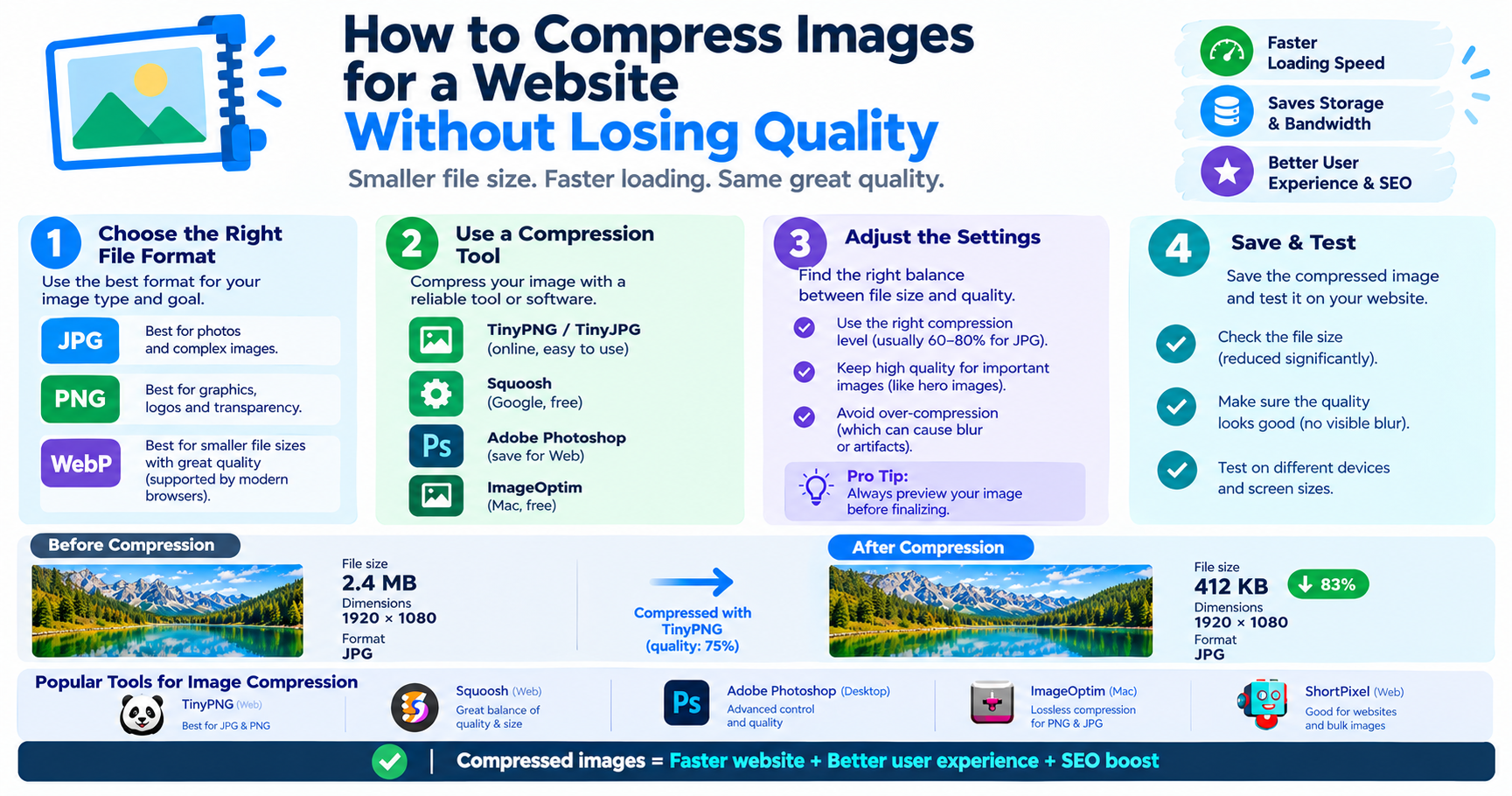
- Quality. Use 90 to 95 for pictures you care about and 80 to 85 for everyday sharing. Below about 70, fuzzy artefacts begin to appear around edges.
- Background. JPG has no transparency. Transparent areas must be filled with a colour, normally white, or the colour of the page the image will sit on.
- Size. If the PNG is far larger in pixels than you need, resize it in the same step. Fewer pixels means a smaller file with no quality penalty at the size it is displayed.
Convert in your browser
- Open the Image Converter and add your PNG files.
- Choose JPG.
- Set the quality to 90.
- Pick the background colour that replaces transparent areas.
- Download the JPG files and compare one with its original at full size.
On Windows, Mac and phones
| Device | Steps |
|---|---|
| Windows | Open the PNG in Paint, then File → Save as → JPEG picture |
| Mac | Open in Preview, then File → Export, Format: JPEG, set the quality slider |
| iPhone | Use the browser converter in Safari; the Photos app has no direct export to JPG for PNG files |
| Android | Use the browser converter in Chrome, or an “Export” or “Save as” option if your gallery app offers one |
How much smaller will it be?
It depends entirely on the picture. Photographs shrink the most because JPG is designed for smooth tones and natural detail. Screenshots, charts and logos shrink less and can look worse, because JPG adds faint smudges around sharp edges and text. For those, staying with PNG or switching to WebP is the better choice.
| Type of image | Convert to JPG? | Why |
|---|---|---|
| Photograph | Yes | Much smaller, no visible change at quality 90 |
| Screenshot with text | No | Text edges become fuzzy |
| Logo or icon | No | Loses transparency and crisp edges |
| Scanned document | Usually | Smaller; use quality 85 or higher so text stays readable |
| Artwork with gradients | Yes, at high quality | Low quality causes visible banding |
Advantages and disadvantages of converting
Advantages
- Far smaller files for photographs
- Accepted by every upload form, program and device
- Faster to email and to load on a web page
Disadvantages
- Transparency is lost
- Sharp edges and small text can pick up artefacts
- Quality falls a little every time a JPG is edited and saved again
Mistakes to avoid
- Deleting the PNG. Keep it as your master copy and export JPGs from it.
- Converting back and forth. Turning a JPG into a PNG does not restore anything; it only makes a bigger file.
- Using one quality setting for everything. Check a detailed area, such as hair, foliage or text, before converting a whole batch.
- Forgetting the background. A logo that looked fine on a dark page gets an unexpected white box when transparency is flattened.
If the JPG still has to fit under a limit, the Image Compressor can aim for an exact size in KB.
Frequently asked questions
Does converting PNG to JPG reduce quality?
A little detail is always discarded, but at quality 90 or above the difference is not visible at normal size for photographs.
What happens to a transparent background?
It is replaced by a solid colour, because JPG does not support transparency. Choose the colour during conversion; white is the usual default.
Is JPG or PNG better for photos?
JPG. It gives a far smaller file with no visible difference. PNG is better for screenshots, logos and graphics.
Can I convert a JPG back to PNG to recover quality?
No. The detail removed by JPG compression is gone. The PNG would be larger but look the same as the JPG.